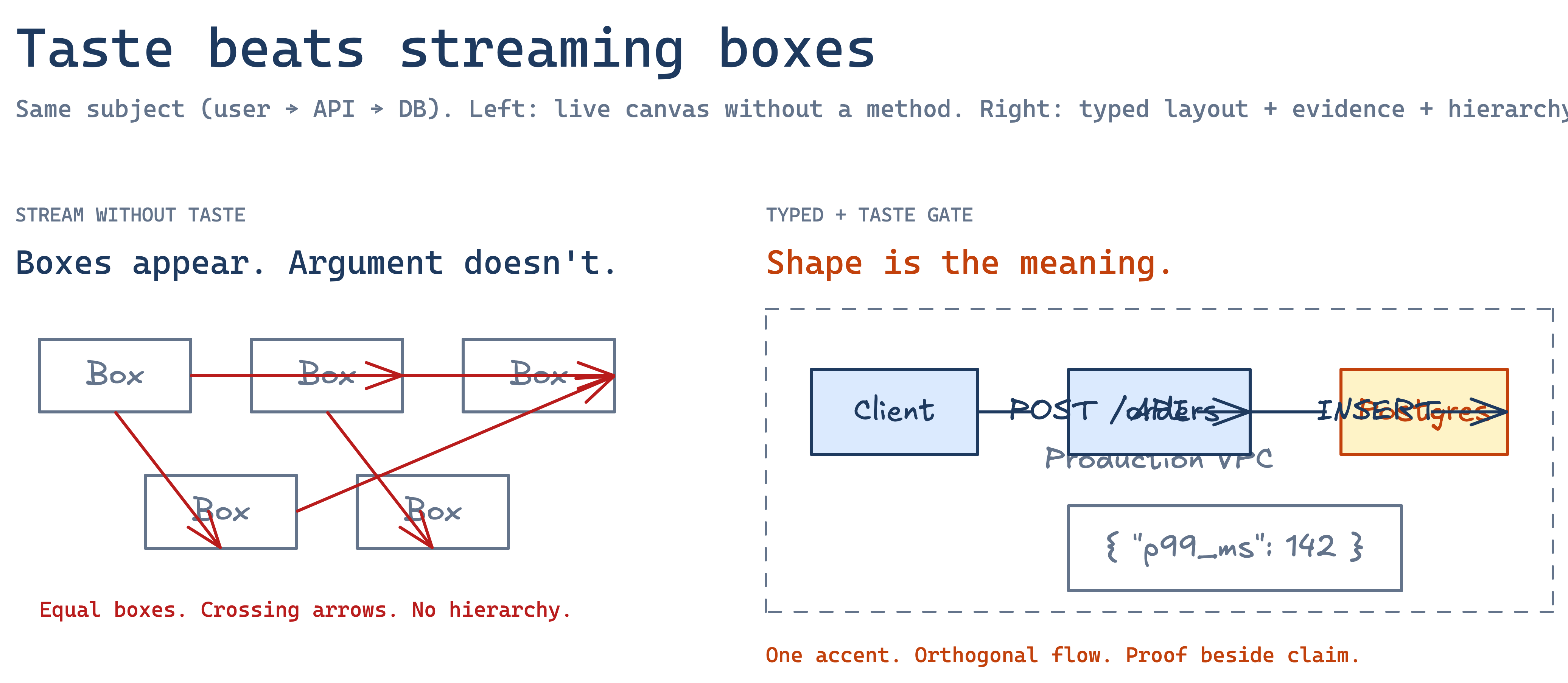
The official Excalidraw MCP is an interactive MCP App: remote host at https://mcp.excalidraw.com, streaming draw, viewport camera, fullscreen in-chat editing.
excalidraw-skill-pack is the quality layer beside it: typed layouts, taste gate, themes, audit_diagram, and reproducible PNGs for publication.
Official owns the live canvas in chat. excalidraw-skill-pack owns the visual-argument methodology: what to draw, why, how to theme it, and how to prove the PNG is publishable.
| Official Excalidraw MCP | excalidraw-skill-pack | |
|---|---|---|
| What it is | MCP App with interactive Excalidraw surface | Skill + MCP encoding methodology, themes, audit, renderer |
| Primary UX | Streaming draw, camera, fullscreen edit in chat | Prompt → editable .excalidraw → PNG → inspect → fix |
| Hosted option | https://mcp.excalidraw.com | Local npx / stdio adapters (Claude Code, Cursor, Codex, Gemini, Copilot) |
| Typed layouts | Agent improvises | 29 progressive type refs (architecture through radar) |
| Taste | Whatever the model streams | Taste gate + anti-patterns + audit_diagram |
| Themes | — | Publishable npm/PyPI theme packages |
| Evidence | — | Concrete payloads beside claims |
| Reproducible PNG | In-chat SVG / editor (not golden CI fixtures) | Node + Python pixel-parity Playwright PNG |
| Proof corpus | — | 77 figures for a published engineering book |
| Best for | Interactive whiteboard moments in chat | Figures you keep editing, theming, auditing, and shipping |
audit_diagram so agents delete until density holds.apply_theme.You want a live whiteboard in chat, a remote URL you can add once, or interactive refine on a host that supports MCP Apps. It is the right surface.
You want the agent to produce a figure that teaches: typed structure, hierarchy, evidence, and a PNG that survives publication. You need themes as packages, or you need audit_diagram and render parity in CI.
Yes. Official is the hands and the canvas; this pack is the taste. Typical flow: generate_diagram_prompt (pick type + taste) → draw or refine on the official surface when available → render_diagram + audit_diagram for the publishable PNG. Full write-up: coexistence guide.
/plugin marketplace add isatimur/excalidraw-skill-pack
View on GitHub → Also: vs diagram-design Gallery
MIT licensed. Official MCP link for honest comparison; we respect their craft. They own the canvas; we own the argument.